Design App

Design your kitchen. See the price. Takes 15 minutes.

Our free design app lets you lay out your kitchen, choose materials and finishes, and see real-time pricing — all in about 15 minutes. When you're ready, one of our designers will help you refine the details.

Not another generic kitchen planner

Most kitchen design tools show you stock cabinets at estimated prices. Ours shows you custom cabinets at real prices — built to your exact dimensions, with the materials you choose, priced in real time.

That means you can explore different finishes, layouts, and configurations and know exactly what each decision costs. No surprises later. For a comparison of design tools, see our review of kitchen design apps.

How it works

01

Tell us about your kitchen

Answer a few quick questions about your space — kitchen shape, approximate dimensions, and what you're looking for. This takes less than five minutes, and you can use rough measurements to start.
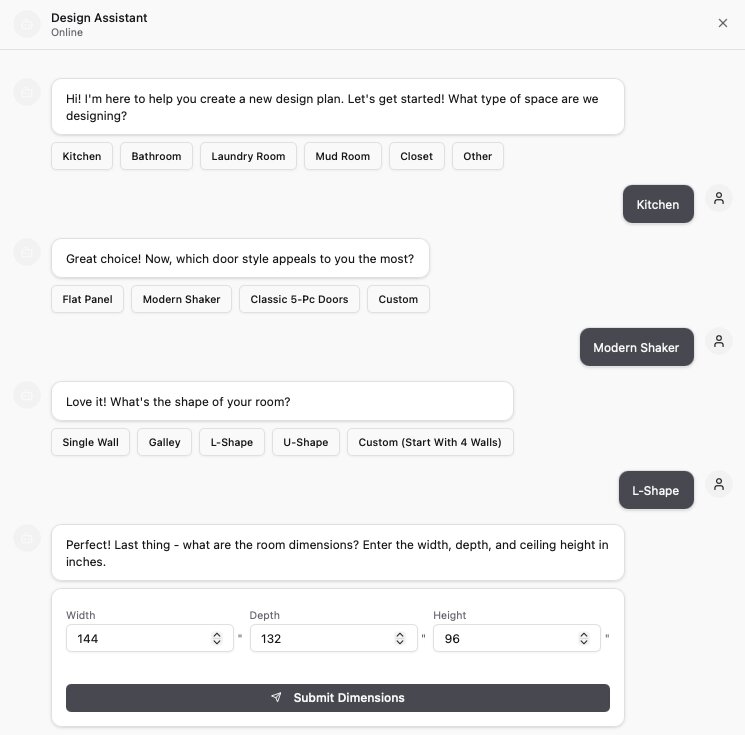
DodiHome design app — choose your room type, door style, and dimensions
02

See your kitchen come to life

The app generates a 3D layout based on your answers. Browse materials, swap finishes, adjust the configuration — and watch the price update in real time. Every change you make is reflected instantly.
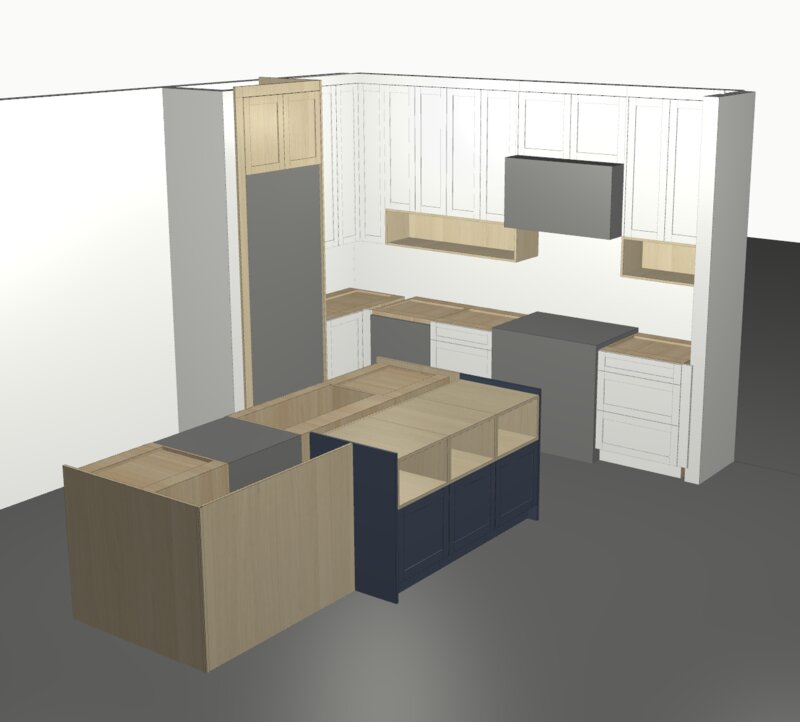
DodiHome design app — 3D kitchen rendering with cabinet layout
03

Refine with a designer

When you're ready, share your design with our team. A Dodi designer reviews your layout, suggests refinements, and confirms measurements. This step is optional — move forward whenever you're ready.
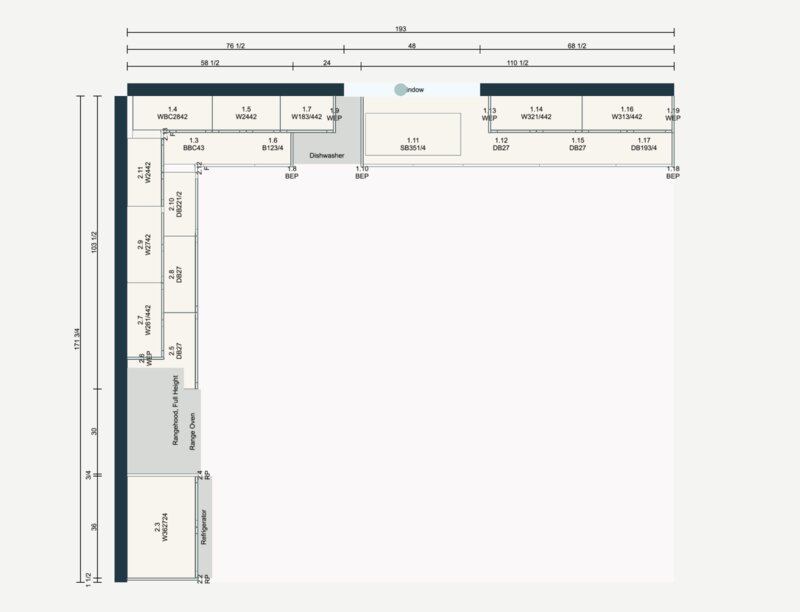
DodiHome design app — detailed floor plan with cabinet dimensions

Just browsing? That's exactly what the app is for.

You don't need to be ready to buy. The design app is a no-pressure way to explore what custom cabinets look like and what they cost for your specific kitchen. Use it to compare options, set a budget, or just see what's possible.

"What I love about Dodi is the option to design the cabinets by yourself using their easy to use software and be able to get a ball park [price]."
— Tony Tsai, Google

What you can do in the app

Design your layout

Configure your kitchen shape, cabinet placement, and dimensions. The app works with L-shapes, U-shapes, galleys, and islands.

Choose materials

Browse real materials — walnut, white oak, Cleaf, Shinnoki, painted finishes, and more. See how each one looks in your layout.

See real-time pricing

Every material and configuration change updates the price instantly. No waiting, no estimates. See our pricing page for typical ranges.

Pick door styles

Flat panel, shaker, fluted, inset — preview each door style on your cabinets and see how it affects the price.

Add accessories

Drawer inserts, pull-out pantries, appliance garages, integrated lighting — customize the details that matter to you.

Save and share

Save your design and come back anytime. Share it with your partner, contractor, or the Dodi team when you're ready for a consultation.

Design app questions

Yes. The design app is completely free. Design your kitchen, see pricing, save your designs. Use it as many times as you want.

Approximate measurements are fine to start. You can get a ballpark price with rough dimensions and refine later. For final pricing, we'll confirm measurements during the design consultation.

Very accurate. The prices reflect current material costs and are what you'll actually pay. The app shows your starting price. Add-ons, upgrades, tax, delivery, and trade discounts are handled with our team.

You can save your design and share it with our team for a free consultation. A Dodi designer will review your layout, suggest refinements, and confirm final measurements. Move forward whenever you're ready. Learn more about how the process works.

See what your kitchen could look like

15 minutes. Real materials. Real pricing. Try it now.

Try the design app Or get a quote